Launch new ads from your pictures
Meta Actions builds a new campaign from your own pictures and videos, with a budget per country worked out from what an order may cost.
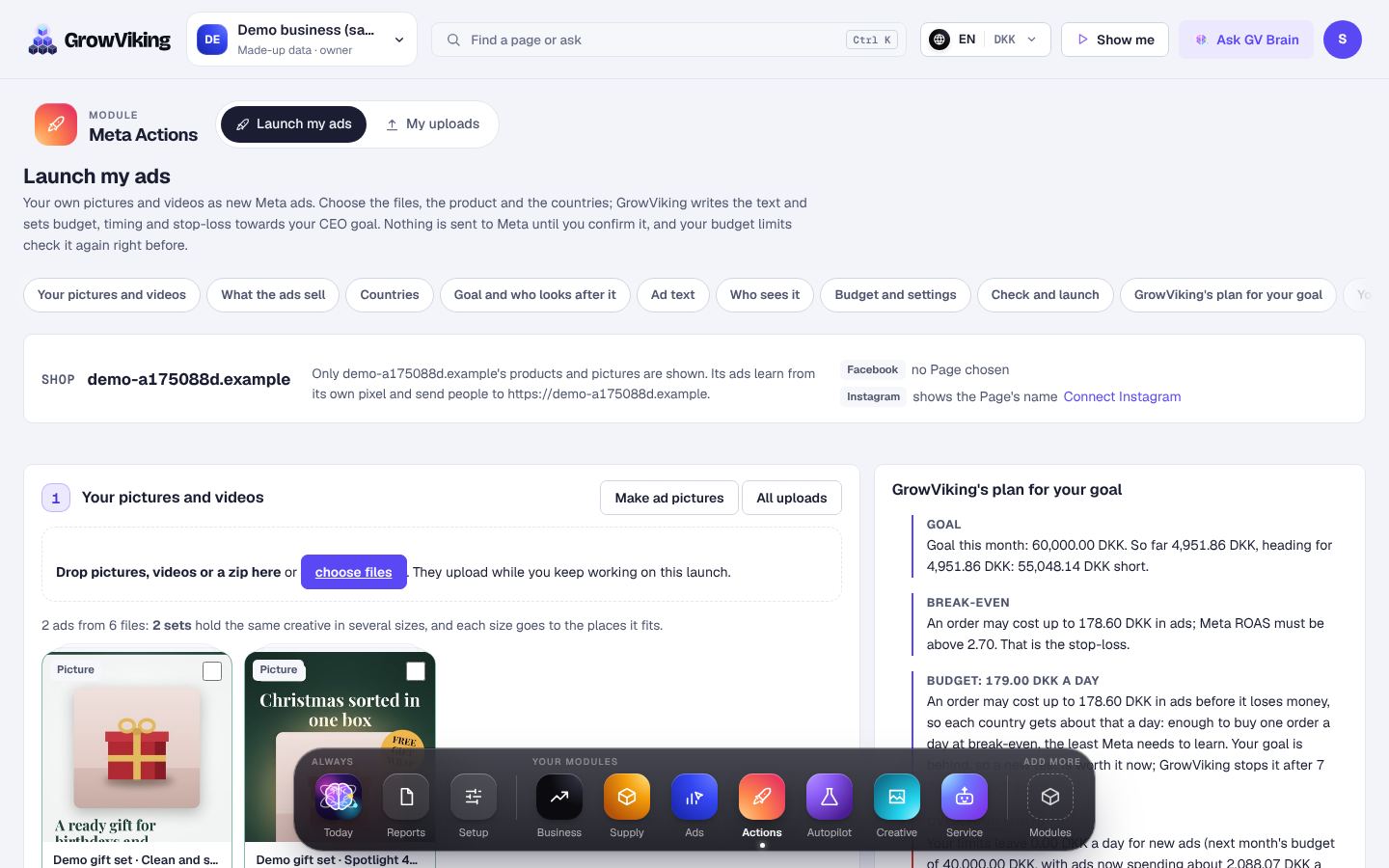
How to do it
- 1
Open Meta Actions and choose Launch my ads.
- 2
Add your pictures and videos. They upload while you carry on.
- 3
Tap the products the ads sell in the picture gallery, then pick the countries.
- 4
Tap a tile for what the ads should do (Sales, Add to cart, Traffic or Reach) and one for who looks after them once they run: a rule set, Smart timing or none. The page stays where you are.
- 5
Press Write the text: GrowViking writes one language at a time right there, and says why if your AI engine didn't answer.
- 6
Choose who sees it: broad, a retargeting ad set and interests to test.
- 7
Check the plan and make the launch. Nothing reaches Meta unless it fits your limits.
- 8
Once you confirm it, the launch page shows each step of sending it to Meta. All files go up at once, and GrowViking carries on by itself the moment Meta has prepared the videos; you don't press anything.
Every name in Meta starts with GV and the date, then the goal and the rule set, for example GV_2026-10-15_Sales_SteadyScaler_… , so you always see what GrowViking made.